Want to clear your LinkedIn™ search history? See your activities on the network? It’s easy ! Here are our tutorials to finally understand and master your LinkedIn™ history !

It’s not easy to navigate incognito on LinkedIn™, especially when you know that almost 800 million members use the social network. Do you want to consult profiles without users being informed? Do you want to have access to the activities of your contacts discreetly? The LinkedIn™ history has several functions allowing you to see without being seen or more traditional functions such as consulting or deleting your LinkedIn™ history . Read on to find out.
How do I view my LinkedIn™ history?
Check his history on LinkedIn ™ it’s simple and accessible from the mobile or computer version. On the latter, all you have to do is:
- Log in and go to your LinkedIn™ homepage;
- Click on the “You” icon located in the top menu between “Notifications” and “Products”;
- Select “Posts and activity”;
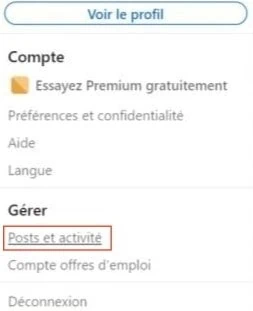
- You then have access to your posts , documents, articles and your other activities (comments, reactions, likes, etc.).
If you want to visit a contact’s activities and nothing appears, it’s either: – That it has been inactive for 90 days or more. In this case, no activity is kept; – That he changed the privacy settings to enable private mode.
How do I delete my LinkedIn™ history?
Delete my activities
Activities are all the actions you perform on the social network: reactions, comments, publication of articles , native posts or documents. All these elements are kept for 2 years in your history. To delete these actions, make sure you’re signed in to either the LinkedIn™ desktop version or the mobile app.
To delete your LinkedIn™ activity from your computer:
- To consult them, click on the “You” section, located in the menu at the top of your browser;
- Select “Posts and activity”;
- It is then necessary to seek those which you wish to delete;
- For a like, just click on it to cancel it;
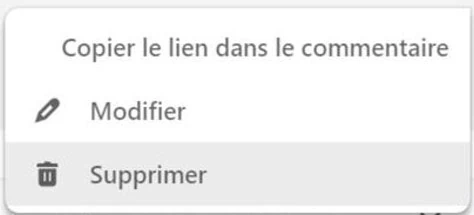
- For a comment, place your cursor on the three small dots on the right, just in front of your name;
- Then you have the choice between “Modify” or “Delete”.
To delete your history from the mobile version:
- Tap your profile picture in the top left;
- Then, “View profile”;
- Scroll it slightly to reach the “Activity” section;
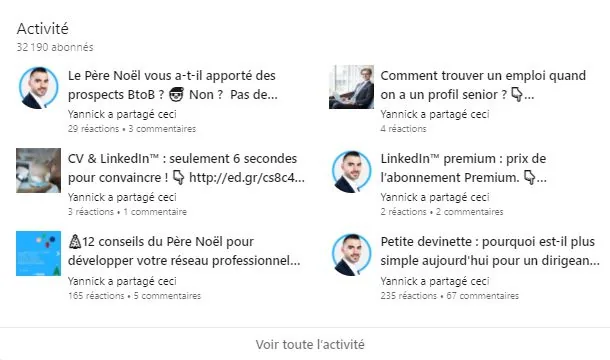
- Select it and you then access the history of all your activities.
Want to visit LinkedIn™ profiles discreetly? Do not move, we reveal the ultimate trick to see without being seen!
Delete my social media search history
There are two ways to delete your search history on LinkedIn™. The first is the same on PC as on mobile:
- Go to the search bar, top left;
- They appear with a “Delete” label;
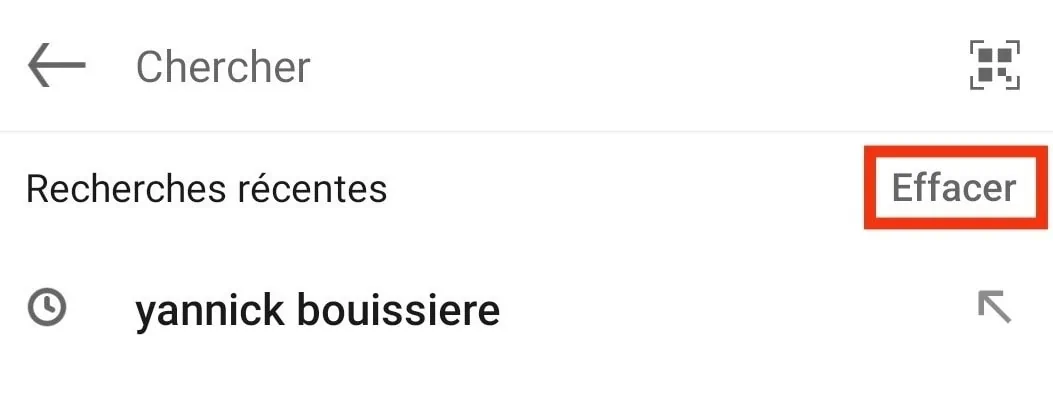
- Just click on it to delete your search history.
There is another way to proceed, almost identical on mobile than on computer:
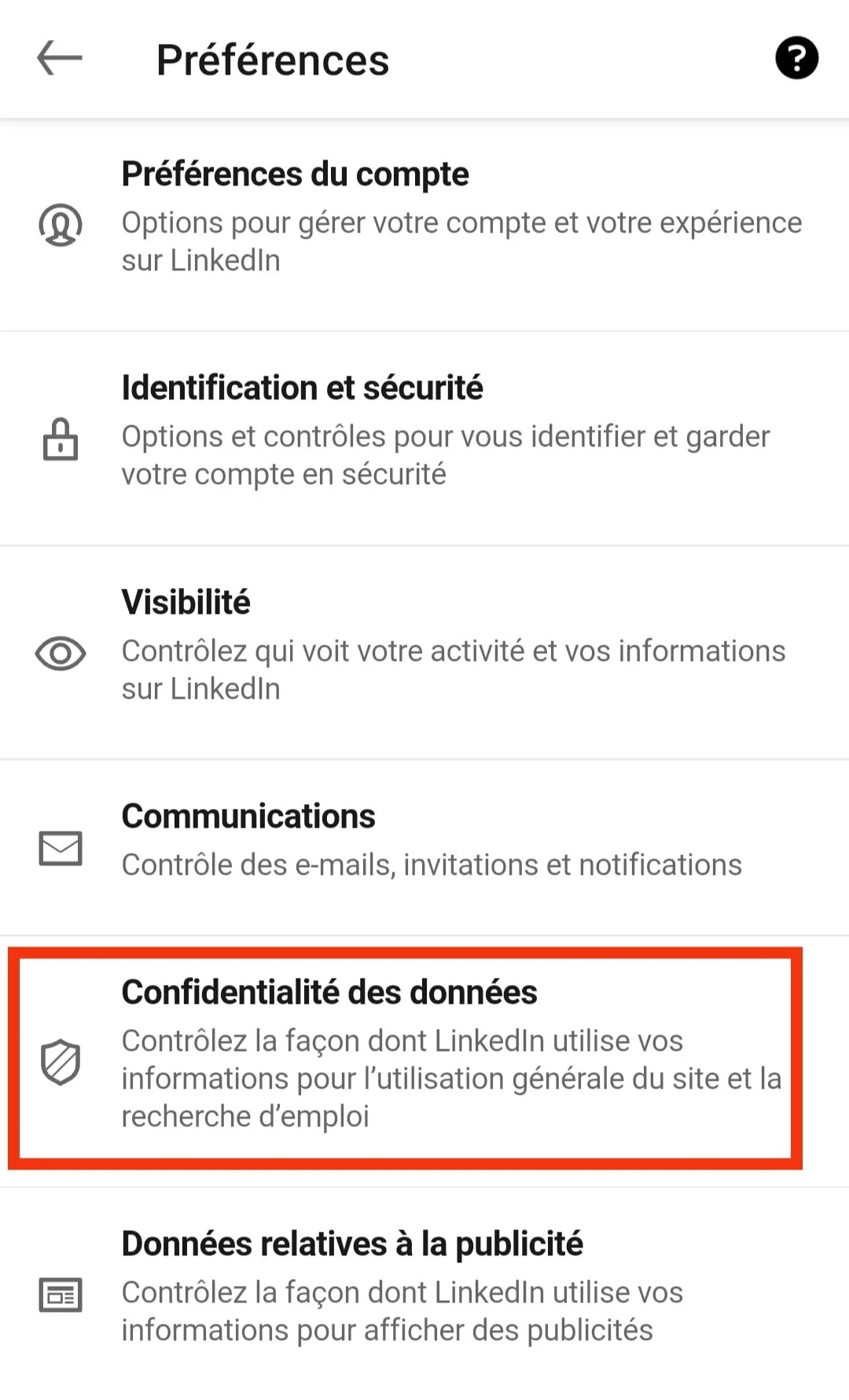
- On mobile, tap your profile picture in the top left;
- On PC, this is the “You” section;
- Then go to “Preferences” or “Preferences and privacy” on computer;
- Then go to “Data Privacy”;
- Finally, click on “Search History”.
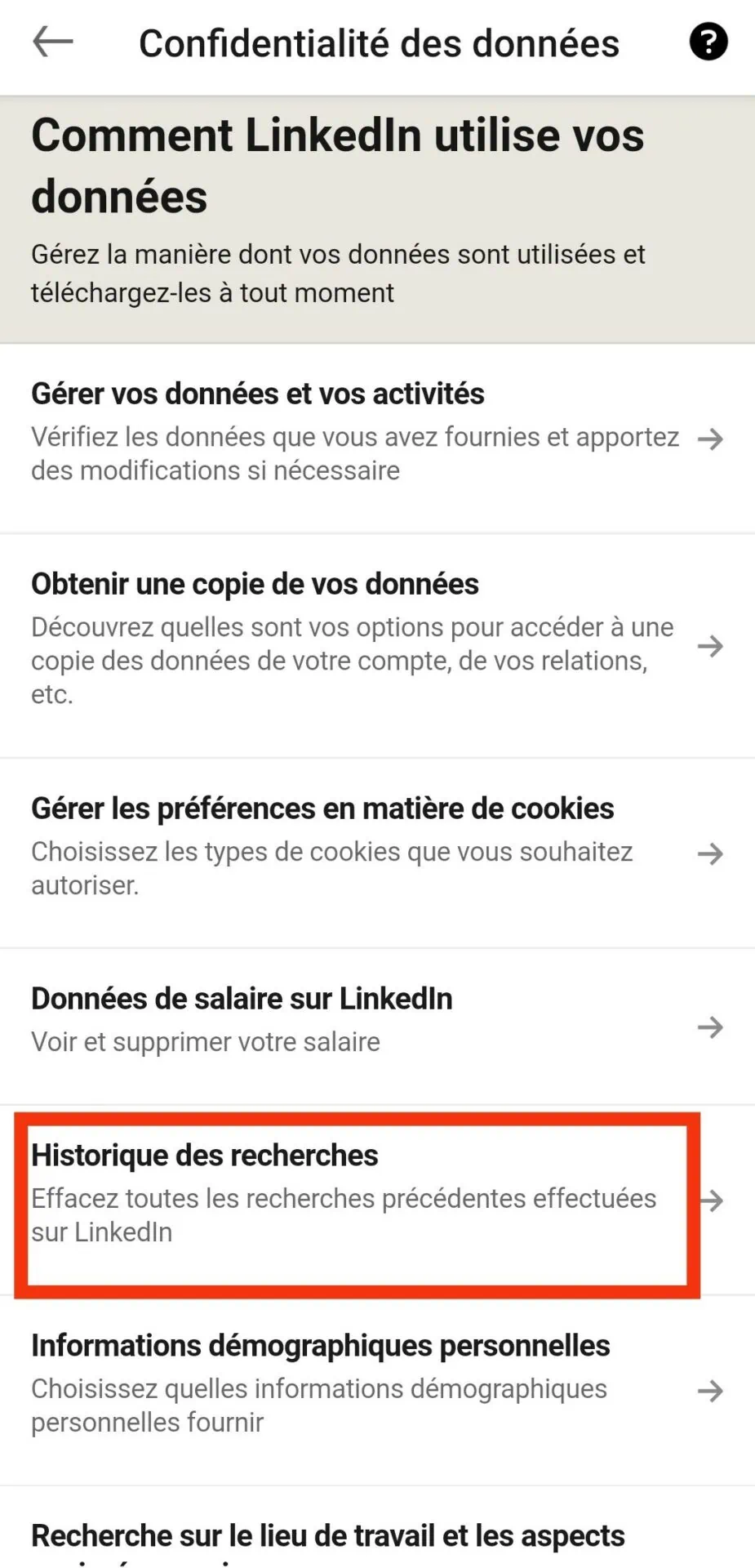
This is only visible to you, even your first-level contacts do not have access to this information.
How do I view a profile anonymously on LinkedIn™?
Whether to prospect , read content or simply out of curiosity, visiting member profiles is a common practice. However, this action is not always done discreetly since a report in the form of a notification notifies users of your approach.
So how do you view a profile anonymously ?
- From your LinkedIn™ profile , go to the “You” section, which is located in the menu at the top;
- Or from the mobile version, touch window profile image at the top left;
- Then click on “Preferences and privacy” or “Preferences” on your smartphone. ;
- Then it happens in the “Visibility” tab and “Profile view options”;
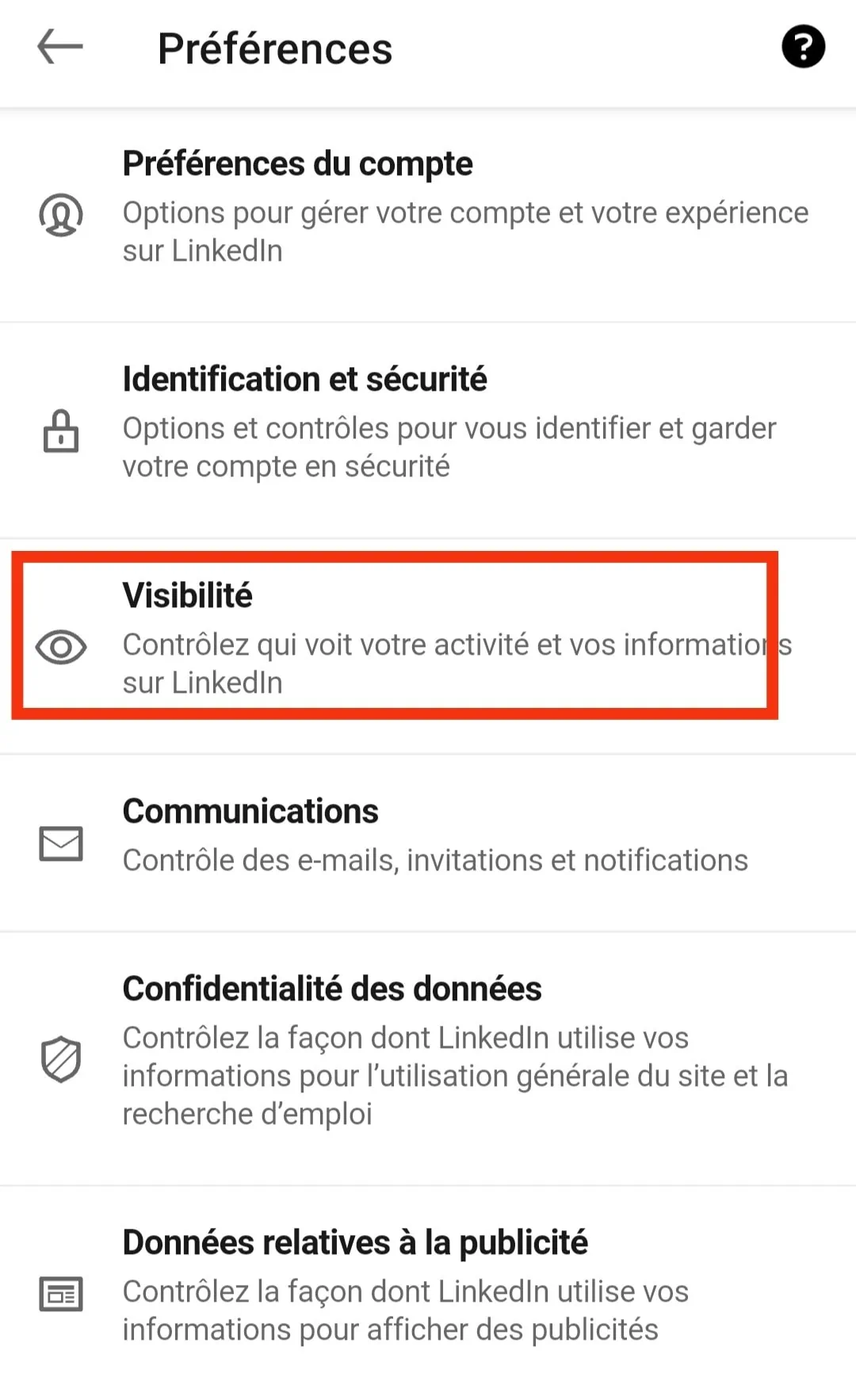
- You can now opt for private mode with or without features. You then appear as an “Anonymous LinkedIn User” without a profile photo, or under your more generalized job title.
With this trick, members are notified that someone has looked at their profile, but they don’t know who it is.
How do I view a contact’s history on LinkedIn™?
Want to see a LinkedIn™ user’s activities? It’s simple, just go to their profile, then go to the “Activity” section, located below the general description. If you click on “See all activity”, you have access to the publications but also to the reactions and comments published with this profile.
For all BtoB professionals who want to learn how to use LinkedIn™ to find clients, I’m organizing a free online conference. It’s a real training 100% offered , to master the power of LinkedIn™.
LinkedIn™ history, to conclude
- To view your activity history, you must be logged into your account from a computer.
- The majority of actions concerning the history start from the “You” section, then “Posts and activity”.
- From this tab, you have access to all the history of your posts but also of your comments and your reactions published. From here, it is possible to delete or modify them.
- In the “Preferences and privacy” sub-section, it is the search history that can be deleted.
- From a mobile, it is also possible to have access to its history in order to modify it. The approach is a little different: touch your image at the top left, then view your profile. Finally, scroll down a bit to find the “Activity” section. From there, you have access to your entire history.
- To consult the history of a user, it happens directly in his activities, on his profile.
LinkedIn™ history to summarize in 4 questions
Comment voir son historique LinkedIn™ ?
To consult your history on LinkedIn™, that is to say, all of your activities, the first thing to do is to connect to your profile from a computer. Then :
- From the home page, click on the “You” tab. It is located in the menu at the top between “Notifications” and “Products” and it is symbolized by your profile picture;
- Then select “Posts and activity”;
- You now have access to your posts, documents, articles and your other activities (comments, reactions, likes, etc.). From this interface, you completely manage your actions and you are free to delete or modify a comment or a mention.
Comment retrouver les Likes sur LinkedIn™ ?
To find the likes you have assigned, it happens on a computer, from your LinkedIn™ profile. Then from the “You” section, go to “Posts and activity”. You arrive on the interface for managing all your actions and publications. That is to say that your posts, reactions and comments are kept here for 2 years.
Comment supprimer l'historique sur LinkedIn™ ?
To delete your history, go to the profile search bar. When you click inside, the list of users searched appears with a mention “Delete”. Simply select it to delete the LinkedIn™ search history window.
Comment retrouver un post sur LinkedIn™ ?
To find a post to which you have reacted or that you have published, you must go to your activity history. To do this, go to the “You” section, visible at the top of your homepage from a computer. Then click on “Posts and activity” and find all of your publications.
If it’s a post from one of your contacts that you haven’t liked or commented on, go directly to the author’s account. The “Activity” tab allows you to see all your posts and the reactions published.